Fixed the Apple Pay payment sheet showing “0 months” for a trial period. The SDK now sends recurringStartDate, recurringIntervalUnit and recurringIntervalCount from recurringPaymentRequest.trialBilling to Apple Pay, so a 3-day trial reads “3 days”. See the Apple Pay API reference.
Fixed a RangeError: Invalid Date that prevented the Apple Pay sheet from opening when recurringPaymentRequest.regularBilling.recurringStartDate was omitted. The field is optional, and the sheet now shows “Starting Now”.
Fixed an Apple Pay billing amount of 0 falling back to the order amount on the payment sheet. The fallback now applies only when amount is omitted, across the regular, trial, deferred and automatic reload billing options.
Improved browser detection so that redirect payment methods correctly fall back to a full-page redirect instead of opening a popup in environments where popups are unreliable, such as in-app browsers.
✨ Improvements
Internal security, performance, and stability improvements.
Fixed an issue where the vaulted payment methods list was not filtering out cards that are not included in the orderedAllowedCardNetworks configuration.
Headless Checkout: Added onBinDataAvailable callback to the card payment method manager. This new callback provides card network detection along with rich BIN data including issuer information, account funding type, and card attributes. Replaces the deprecated onCardNetworksChange callback.
Headless Checkout: Added onBinDataLoadingChange callback to indicate when BIN data is being fetched. Replaces the deprecated onCardNetworksLoading callback.
Google Pay: Added existingPaymentMethodRequired property. If true, the SDK will check if IsReadyToPayResponse.paymentMethodPresent is also true before rendering the Google Pay Button.
Fix Google Pay OR_BIBED_06 Error for Currencies that has 3 minor units: Resolved an issue where Google Pay transactions were failing with error code OR_BIBED_06 for currencies that have 3 minor units (e.g., KWD, BHD, JOD). The issue occurred because amounts were being sent to Google Pay with three minor units instead of two, which is the maximum precision Google Pay supports.
Fixed intermittent race condition on 3DS: Fixed a rare race condition on 3DS methods that could cause communication between ACS provider to be cancelled prematurely, resulting in failed 3DS authentications. This fix ensures that the SDK waits for the ACS provider to respond before moving ahead with UI cleanup.
Fixed currency display formatting for IDR and RSD: Fixed an issue where Indonesian Rupiah (IDR) and Serbian Dinar (RSD) amounts were displayed incorrectly in payment forms and checkout screens. The displayed amounts showed incorrect decimal values, though the actual payment processing and charged amounts were always correct. Users will now see properly formatted amounts for these currencies throughout the checkout experience.
Headless SDK locale support for translations: Enhanced locale support with comprehensive translation capabilities when setting locale in headless SDK options. The SDK now provides localized text for redirect payment method popups and error messages, allowing merchants to rely on built-in translations instead of providing their own localized error messages.
Headless SDK locale parameter support: Fixed locale parameter support for redirect payment methods URLs. When locale is set in headless SDK options, it will now be properly included in redirect payment method URLs, resolving localization issues with payment methods like Alma and others that use locale-based URL routing. The SDK also automatically determines the appropriate locale from user system settings when no explicit locale is configured.
Breaking Change: This version removes support for legacy API versions. The SDK now requires API version 2.4 or later.
⚠️ Legacy API Option RemovedThe legacy option for options.apiVersion has been removed. The SDK now exclusively uses API version 2.4.Since version 2.52.0 (released 2025-03-25), the SDK has defaulted to API version 2.4 with an option to use legacy for backward compatibility. This fallback option is now removed.If you were using the legacy setting:
Ensure your backend integration supports API version 2.4
Remove any apiVersion: "legacy" configuration from your SDK initialization
Review the Migration Guide for detailed upgrade instructions
Card form submit button: Fixed an issue where the submit button remained disabled after failed or declined transactions when using card.preferredFlow: "DEDICATED_SCENE" mode. The button now correctly re-enables to allow payment retry attempts.
Stripe ACH payment information: Resolved an issue where Stripe ACH transactions were not returning payment information in the onCheckoutComplete callback. Payment details are now properly included in the callback response.
Apple Pay deferred payment request: freeCancellationDate and freeCancellationTimeZone are optional, but they must either both be provided or both be omitted.
Apple Pay iframe support: Added merchantDomain option for Apple Pay when rendered within an iframe. This optional string parameter allows setting the top window domain for proper Apple Pay functionality in iframe contexts. See our documentation for more info.
🔧 Fixes
Fixed Google Pay line item amount formatting
Fixed cardholder name required and visible toggle functionality
🚀 New featuresThis release introduces Apple Pay merchant tokens, a powerful new feature that enables merchants
to process recurring payments, subscriptions, and automatic reloads without being tied to specific customer devices.Ready to get started? Follow our implementation guides
to request merchant tokens (MPANs) and integrate this feature into your payment flow.
🚀 New feature• Improved TypeScript typings for vaulted payment methodsThis release enhances the type safety of vaulted payment methods by refining our TypeScript definitions. These changes enforce stricter typing, which may surface TypeScript errors in projects that previously relied on loosely typed vaulted items.
⚠️ Note: There are no changes to the runtime or processing logic—only TypeScript type definitions have been updated.
⚠️ Note: This version has been removed due to a minor display bug affecting the rendering of vaulted Stripe ACH items. If you’ve installed this version, we recommend upgrading to 2.53.1.
🔧 FixesWe’ve released a fix for Klarna payment method and added a missing onPaymentMethodAction callback. Now PAYMENT_METHOD_SELECTED and PAYMENT_METHOD_UNSELECTED events are triggered.
The SDK will now default to using Api version 2.4 when initialised. It is possible to use the previous defaults by setting legacy via options.apiVersion. For more information see our SDK reference, Api Reference and Migration Guides.
🔧 Fixes
Surcharge information will not be displayed next to the card form when no surcharge is applied; the card form will not be automatically hidden when the surcharge is applied - use SDK Options to hide the card form if needed.
Fixed a bug in the Klarna session update flow, which may cause validation failures when the Klarna session is triggered and potentially prevent the session from updating correctly.
This version contains a bug in the Klarna session update flow, which may cause validation failures when the Klarna session is triggered and potentially prevent the session from updating correctly. Please use at least version 2.51.0
This version contains a bug in ApplePay integration, which may cause session failures when a billing address is required. Please use at least version 2.51.0
🔧 Fixes
Fixed Google Pay OR_BIBED_15 error where the payment popup failed to open due to a network request. The popup is now triggered immediately upon clicking the Google Pay button, ensuring compliance with browser restrictions on user-initiated popups. As a result, any updates to the client session must now be refreshed manually in the SDK by calling refreshClientSession.
This version contains a bug in the Klarna session update flow, which may cause validation failures when the Klarna session is triggered and potentially prevent the session from updating correctly. Please use at least version 2.51.0
This version contains a bug in ApplePay integration, which may cause session failures when a billing address is required. Please use at least version 2.51.0
Deprecations
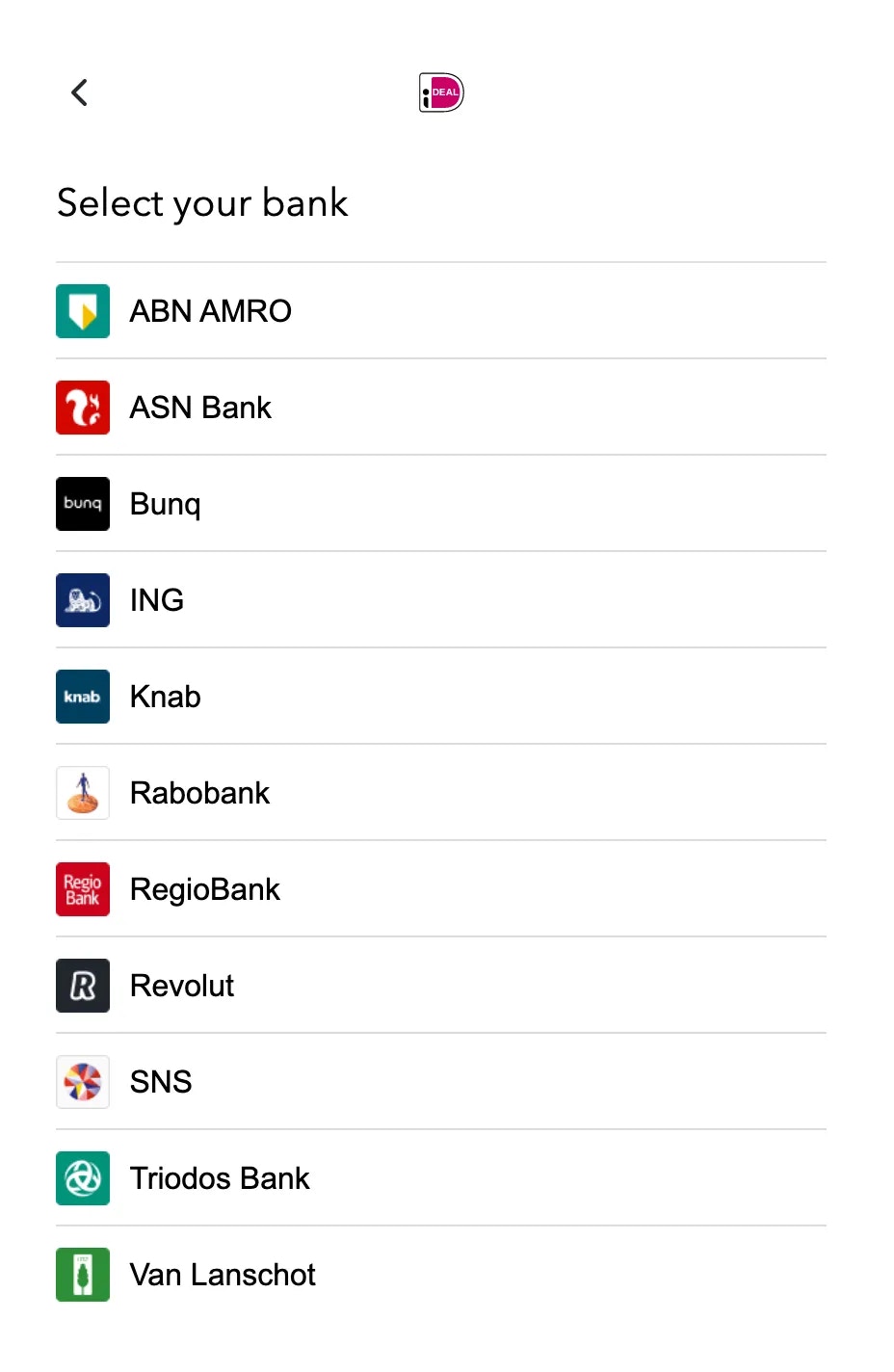
Removed support for iDeal-V1 and the associated bank selector UI from the SDK. With iDeal-V2, users are now redirected to their own bank selector interface, making this functionality redundant. All existing integrations have been automatically migrated to iDeal-V2, requiring no further action from merchants.
This version contains a bug in the Klarna session update flow, which may cause validation failures when the Klarna session is triggered and potentially prevent the session from updating correctly. Please use at least version 2.51.0
This version contains a bug in ApplePay integration, which may cause session failures when a billing address is required. Please use at least version 2.51.0
🔧 Fixes
Addressed an error (undefined is not an object) occurring with Apple Pay transactions.
This version contains a bug in the Klarna session update flow, which may cause validation failures when the Klarna session is triggered and potentially prevent the session from updating correctly. Please use at least version 2.51.0
This version contains a bug in ApplePay integration, which may cause session failures when a billing address is required. Please use at least version 2.51.0
🔧 Fixes
Resolved an issue with the Klarna vaulting payment flow. Previously, the Klarna vaulting process was not operational due to missing properties. This fix ensures proper communication between the SDK, Primer and Klarna, enabling successful vaulting across all Klarna-supported payments.
This version contains a bug in ApplePay integration, which may cause session failures when a billing address is required. Please use at least version 2.51.0
🔧 Fixes
Fixed missing TypeScript types for StripeACH options on showUniversalCheckout options. This resolves issues where TypeScript users encountered type errors when configuring StripeACH payments.
This version contains a bug in ApplePay integration, which may cause session failures when a billing address is required. Please use at least version 2.51.0
🔧 Fixes
Fix double surcharge and top-level amount calculation for Google Pay
This version contains a bug in ApplePay integration, which may cause session failures when a billing address is required. Please use at least version 2.51.0
✨ Improvements
With this release, we introduce a new property, apiVersion:
This property allows you to modify which API the SDK will use internally. By default, the previous API state is selected, ensuring backward compatibility. The new APIs are used by opt-in.
To use our new API 2.4 functionalities, set the apiVersion to “2.4”.
This update enables you to migrate to API 2.4 gradually without disrupting your existing integrations.
This version contains a bug in ApplePay integration, which may cause session failures when a billing address is required. Please use at least version 2.51.0
Fixed an issue where onPaymentMethodAction wasn’t being triggered when closing a payment popup. In some specific instances, when a popup delegated payment method was closed before it fully completed its loading sequence, the SDK would fail to dispatch the relevant callbacks. This prevented merchants from constructing reliable logic for handling payment method actions.
This version contains a bug in ApplePay integration, which may cause session failures when a billing address is required. Please use at least version 2.51.0
🔧 Fixes
Cardholder Name now supports non-Latin characters correctly.
This version contains a bug in ApplePay integration, which may cause session failures when a billing address is required. Please use at least version 2.51.0
✨ Improvements
Removed two legacy SDK flows:
Single Payment Flow: A simplified one-payment view that hasn’t been used in production for over a year. Its removal simplifies the codebase, improves maintainability, and strengthens the overall logic.
Express Checkout: A legacy, unstable flow introduced in 2022, never officially released but present in TypeScript declarations and some code files. As we are not pursuing this approach further, all related code has been removed, simplifying the PayPal integration and client session logic.
Amount checks on Apple Pay and Google Pay—We removed a client-side check for these payment methods, as it was no longer needed. Passing value 0 enables some specific vaulting flows.
📢Experimentalas of 2.48.0 version, it is possible to opt-in to test Api v2.4(Beta). For more information, see our Api Reference and Migration Guides
This version contains a bug in ApplePay integration, which may cause session failures when a billing address is required. Please use at least version 2.51.0
✨ Improvements
This release introduced several updates to the dependencies used by the web SDK, primarily related to TypeScript type generation, linting, and build pipelines.
card-validator and credit-card-type, which are responsible for validating and recognizing cards client-side. Keeping these up to date ensures your clients won’t encounter issues with the card form.
@stripe/stripe-js, used to render the Stripe ACH payment form and its components.
We have also improved the overall code quality and ensured more reliable execution.
📢ExperimentalWith this version, it is possible to opt-in to test Api v2.4(Beta). For more information, see our Api Reference and Migration Guides
This version contains a bug in ApplePay integration, which may cause session failures when a billing address is required. Please use at least version 2.51.0
🚀 New featureStripe ACH Vaulting is now available ✨
We have added support for Vaulting for ACH via Stripe. ACH lets you accept payments from customers with a US bank account.
This version contains a bug in ApplePay integration, which may cause session failures when a billing address is required. Please use at least version 2.51.0
🔧 FixesWe’ve released a fix to prevent the Google Pay OR_BIBED_15 error from happening on the Firefox browser.
This version contains a bug in ApplePay integration, which may cause session failures when a billing address is required. Please use at least version 2.51.0
🔧 Fixes
Fixed the bug introduced in 2.46.0, which broke the localized error messages and displayed the error code in square brackets instead.
This version contains a bug in ApplePay integration, which may cause session failures when a billing address is required. Please use at least version 2.51.0
🔧 FixesThis release addresses a Google Pay display item label bug introduced in 2.46.1. We’ve implemented a fix to ensure that a default label is set if neither the fee type nor line item description is provided, preventing missing labels that cause Google Pay errors.For merchants using Google Pay, it is advisable to set both the line items description and fee type properties. For more details, please refer to the documentation:
This version contains a bug in ApplePay integration, which may cause session failures when a billing address is required. Please use at least version 2.51.0
This version has been deprecated due to the implementation of Google Pay. Please upgrade to 2.46.6
This version has been deprecated due to the implementation of Google Pay. Please upgrade to 2.46.6
✨ ImprovementsWe’ve updated Klarna’s branding to reflect the latest guidelines.You can now tailor the “Pay with” label on Klarna’s payment button using the buttonOptions property, enabling a more localized and relevant checkout experience based on your customers’ region and Klarna’s available payment methods. This feature is available for both direct Klarna integrations and through Adyen.🔧 Fixes
Klarna locale now defaults to en_US if the provided locale is not supported.
This version has been deprecated due to the implementation of Google Pay. Please upgrade to 2.46.6
🔧 FixesWe’ve ensured compatibility of the SDK with older versions of Safari. Our logs indicated crashes related to the unsupported BroadcastChannel API in Safari versions earlier than 15.4, and this patch addresses those issues.
✨ ImprovementsWe’ve rebuilt our internal error and log reporting system to enhance debugging and issue resolution for your customers. This update improves stability and performance by removing external dependencies and ensuring that all unexpected errors are captured and reported.Why Upgrade?
We’re able to address issues affecting your clients proactively.
Faster resolution of support escalation tickets, thanks to more detailed session analysis.
Continued improvements to the stability and performance of our SDK.
Fix for PayPal - remove the condition check in SDK that would break PayPal for merchants that are passing top level amount property in the create client session request
We have added support for ACH via Stripe. ACH lets you accept payments from customers with a US bank account.
ACH Direct Debit is a reusable, delayed notification payment method. It can take up to 4 business days to receive acknowledgment of success or failure.
This release includes one-off payments and cancellation and refund actions. We aim to add support for recurring payments in the future.
With just a few clicks through Primer, you can easily integrate ACH via Stripe into your payment stack. Visit the integrations section of the dashboard to learn more, or consult the direct integration guide.
✨ ImprovementsWe simplified the Headless Checkout public interface. The options can now be set directly in the second parameter of the createHeadless method. Please update your implementation by moving the options from the previous headless.configure method, which is now deprecated. Check the updated documentation for more details.Note: This is a necessary update if you want to set the clientSessionCachingEnabled flag to true.Client Session caching
It is now possible to cache the ClientSession configuration client-side, which can speed up certain flows in the SDK. This can be enabled via the clientSessionCachingEnabled flag, both Headless and Drop-in. Before enabling the flag to true it’s recommended to reach out to Primer support for additional verification since there are edge cases where it is not advised.
We have fixed an issue in AssetsManager.getPaymentMethod. Previously, the paymentMethodName parameter would return the recommended button text for a payment method, which could be null for many payment methods.
We have deprecated this parameter and added two new ones:
buttonText: This is the recommended button text, e.g., “Pay with Google Pay.” However, it may be null for certain Payment Methods.displayName: This is the payment method name. E.g., “Google Pay”. This should be available for all payment methods.From now on, please use these new parameters based on your use case. For more information, see our docs.
Suppress noisy logs for sessionStorage.setItem and navigator.sendBeacon when the browser does not support them, or they are disallowed by the user, or when they fail for any other reason
Prevents iframes from going opaque when the browser is set with a different color-scheme
Upgraded PayPal order creation to the latest server-driven PayPal SDK
We were using an old way of creating a PayPal order (via actions.order.create from PayPal’s JS SDK) that PayPal is deprecating in June 2024.
This version upgrades a PayPal payment method order creation using Orders v2 APIs and PayPal JavaScript SDK
We introduced a change in the metadata field that is passed when creating a client session. Previously orderId in the client session would be passed to PayPal as the custom\_id. Now you have to pass paypal_custom_id in the metadata.
Resolved an issue that caused low authorization rate with Apple Pay for certain processors such as Cybersource when the user’s billing address was missing either the first name or last name on their Apple Pay wallet.
If Apple Pay is configured to capture the billing address, users will now be prompted with an error message within Apple Pay’s sheet indicating that they need to fill out the missing first name or last name in their Apple Pay wallet in order to proceed with the payment.
Various internal improvements to enhance overall system stability and performance.
Fixed a regression bug introduced in v2.37.0 that showed an error “This merchant is having trouble accepting your payment right now. Try using a different payment method. [OR_BIBED_06] OR_BIBED_06” when the user selected Google Pay, preventing them from paying.
You should now be able to propose Google Pay seamlessly as before.
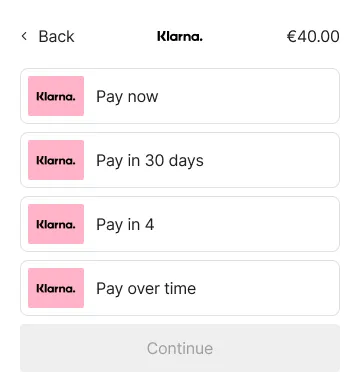
Our Klarna integration is now available on Headless Checkout on Web. Flows supported:
Pay now
Pay later: Pay in 30 days
Pay over time: Pay in 3-4 installments. First payment right away then the rest in installments (no interest)
Fair financing: Installment plans of 6, 12, 24, and 36 months with flexible payments (with interest)
The docs are available here and the Klarna Payment Manager reference is here.
Support for Klarna EMD
Klarna may request extra merchant data (EMD) based on the merchant segment or consumer services. This additional information helps Klarna enhance risk assessment and improve conversion rates.
You can now dynamically pass any relevant EMD package via the Client Session as described here. Available schemas are documented here
Fixed an issue with Klarna that caused the Klarna view to expand and then collapse when switching between payment categories.
Fixed an inconsistency in the input’s metadata for Headless Vault Manager CVV recapture. Developers can now rely on the “input.metadata.valid” property to be their source of truth when checking if the validations have passed.
Activate 3DS when cards are not configured in checkout builder.
This ensures that 3DS can be triggered even if only Google Pay or Apple Pay are presented.
🚀 New FeatureHeadless Vault ManagerAdd PrimerHeadlessCheckout.createVaultManager() which returns an instance of HeadlessVaultManager. It provides the following features:
🚀 New FeatureValidate cardholder nameAdd validation for cardholder name so that only Unicode Latin alphabet no.1 characters are allowed, which should improve 3DS pass rates.✨ Improvements
Change the “CVV” label to “Security code” in Japanese.
🔧 Fixes
Fix an issue that caused a crash when closing Adyen Klarna’s redirect popup window. The issue was introduced in 2.30.0.
Fix onPaymentMethodAction on Web not being triggered with Klarna.
🚀 New FeaturePopup windows fallback to redirectWhen popup windows are not supported - either because they were blocked by the browser, or one of its extensions/plugins, or any other reason - payment methods that would open them will instead redirect the current page.Read the guide on how to handle redirects in order to ensure maximum compatibility.
This is a fallback mechanism, when popup windows are supported they will continue to open as expected.
Fix a bug where the submit button was disabled when moving to another screen and coming back to the checkout home, while any vaulted payment method was present.
Enable the Apple pay button to work within a form tag
Fix an issue that caused onCheckoutFail to not be called when the payment ends up with a status and no required action. This could happen in the case of Atome when the user clicks “Back to merchant”
Fix a bug that caused the flag form.inputLabelsVisible to also hide surcharge labels
Improve surcharging support for PayPal when paypal.paymentFlow is set to PREFER_VAULT
✨ ImprovementsGoogle Pay now capture billing address information! 🥳Universal Checkout | Payment MethodsWhen initializing the checkout, you can now pass an additional setting to enforce billing address capture when your customers checkout with Google Pay.
Typescript
    Primer.showUniversalCheckout(clientToken, {
    googlePay: {
    captureBillingAddress: true // defaults to false - not required
    }
    })
We recommend capturing the billing address via Google Pay if you’re processing Google Pay payment via Adyen. Alternatively, you can pass the billing address in the client session if you already posses it.
🔧 Fixes
Improve error handling when initializing the SDK
Fix a regression from 2.25.1 issue that raised a malformed client token bug when the user selects a redirect-based payment method
✨ ImprovementsThe SDK now speaks Chinese, Thai and Malay 🌐Universal Checkout | LocalesYour checkout can now display in any of the following new languages:
Mainland Chinese (simplified characters) zh-CN
Thai th
Malay ms
It also has partial support for:
Chinese from Hong-Kong zh-HK
Chinese from Taiwan zh-TW
Chinese card details
✨ ImprovementsUniversal Checkout | Payment methodsThis new version now forwards to Klarna all updates of the client session’s order.This enables you to display a checkout with Klarna right next to a cart view or a voucher field that can modify the amount.To implement this, make sure to call checkout.refreshClientSession()
Javascript
const checkout = await Primer.showUniversalCheckout(clientToken, options);// After you patched the client sessionawait checkout.refreshClientSession();
🔧 Fixes
Headless Checkout’s onAvailablePaymentMethodsLoad is now working properly
Improved the support for specific versions of Webpack (window is undefined error)
✨ ImprovementsLoad time improved by ~20% 🏃♂️Universal Checkout | PerformanceWe are on a journey to create the most performant checkout available out there 🚀Of course, this means reducing the time to load the SDK and present payment methods to your user 💪This new version brings a few internal changes to how the SDK is loaded that decreases the load time by about 20%!Known issuesHeadless Checkout’s onAvailablePaymentMethodsLoad is not working properly on this release. This has been addressed on v2.26.1.The validation of arguments passed to the main Primer functions is not working. This will be addressed in a new release. This has been addressed on v2.26.1
✨ ImprovementsAdd Processor 3DS to Headless CheckoutHeadless Checkout | Processor 3DSWhen a processor does not enable Primer to use their agnostic 3DS, Primer automatically falls back to using their proprietary 3DS when possible.This was already possible with the Drop-in Checkout - it is now supported by Headless Checkout! 🎉When Processor 3DS is requested, Headless Checkout automatically displays an in-context modal view with the 3DS challenge!
✨ Improvements#✨ Improvements to Google Pay!Universal Checkout | Payment methodGoogle Pay SDK has recently received a face lift that enables merchants to further customize the Google Pay button!Pass buttonSizeMode to the Google Pay options to define if the button should take the full size of the container, or if it should be static.
Supported values are fill and static
⚠️ This mechanism replaces the buttonType values short and long.
Pass buttonType to set what should be displayed on the Google Pay button.
buy (default)
book
checkout
donate
order
pay
plain
subscribe
Google Pay Buttons
JavaScript
Primer.showUniversalCheckout(clientToken, {/\* Other options \*/googlePay: {buttonSizeMode: 'fill',buttonType: 'subscribe'}});
🔧 Fixes
Fixed an issue with the sub-units of the currencies CRC, COP and HUF
✨ ImprovementsiDeal via Worldpay! 🥳Universal Checkout | Payment MethodsThis version introduces another iDeal integration method: this time with Worldpay 🎉
✨ ImprovementsBetter support for manager typesUniversal Checkout | Integration
This version introduces a breaking change for Headless Checkout beta
In the previous version, the callback onAvailablePaymentMethodTypes only returned a list of payment method strings. This made it difficult for developers to know how to implement each payment method.The new callback introduces the concept of managerType : each payment method has a managerType that describes which payment method manager to instantiate.This enables you to implement a whole payment method category in one go!
TypeScript
// Beforeheadless.configure({// Other optionsonAvailablePaymentMethodsLoad(paymentMethods) {// paymentMethods is a list of strings representing the unique id of the payment method}})// Nowheadless.configure({// Other optionsonAvailablePaymentMethodsLoad(paymentMethods) {// paymentMethods is a list of objects containing// - `type`: the unique id of the payment method// - `managerType`: the type of payment method manager. Can be `CARD`, `NATIVE`, or `REDIRECT`}})
Get access to the icons and names of payment methods on headlessUniversal Checkout | IntegrationFor most payment methods, you have full control over how the payment method should be presented. To assist you, Primer exposes the AssetsManager
that enables you to retrieve the logo and main colors attached to each payment method.
TypeScript
const assetsManager = headless.getAssetsManager()const { iconUrl, paymentMethodName, backgroundColor } = await assetsManager.getPaymentMethodAsset('ADYEN\_IDEAL') // ADYEN\_IDEAL comes from `paymentMethod.type`
Redirect payment methods are on Headless Checkout 🚀Universal Checkout | IntegrationSome payment methods require the user to be redirected to another web page to capture its payment details. Headless Checkout on Web now supports these types of payment methods👩💻Head over to the documentation to implement these payment methods!When the user selects the payment method, call the start function. This function automatically:
opens a popup to present a loading indicator, then the payment method web page
shows an overlay on top of your page that prompts the user to focus on the popup
You will now be able to rely on the onPaymentCreationStart callback to get notified before the checkout attempts to perform the following actions:
Tokenize the selected payment method
Create a payment
TypeScript
const checkout = await Primer.showUniversalCheckout(clientToken, {container: '#container',onPaymentCreationStart() {// will be called before tokenization and payment creation// will be followed by calls of either onCheckoutComplete// or onCheckoutFail},onCheckoutComplete({ payment }) {console.log('onCheckoutComplete', payment);},onCheckoutFail(error, { payment }, handler) {console.error('onCheckoutFail', error, payment);handler?.showErrorMessage(');},});
🔨 Fixed
Addressed bug which caused iframe events to not be fired with headless checkout implementation.
✨ ImprovementsApple Pay, Google Pay and PayPal are landing on Headless Checkout 🚀Universal Checkout | IntegrationHeadless Checkout on Web now supports Apple Pay, Google Pay and PayPal 👩💻With this new release, you can now ask Primer to display a button anywhere on the screen - and the SDK takes it from there!
✨ ImprovementsKlarna via Adyen! 🥳Universal Checkout | Payment MethodsYou will now be able to avail Klarna via Adyen for your customers. Klarna allows multiple payment options depending on the country in which the order is created.
Klarna
If Klarna via Adyen only provides a single payment type, no list will be displayed, but the Klarna button will display the available payment type.
🔨 Fixed
Fix bug where the card number input could not detect the AMEX card network type.
Addressed edge case where a payment is created with an empty card form, resulting in an error. In this case, onCheckoutFail will now be called.
✨ Improvements[BETA] Introducing Headless Checkout for complete customization! 🚀Universal Checkout | IntegrationUniversal Checkout on Web currently features an amazing drop-in UI that you can integrate with just a couple of lines of code 👩💻A few months ago, we introduced Headless Universal Checkout for mobile platforms, providing more flexibility and control over the checkout experience. Headless checkout has received positive adoption, so it’s time to bring this integration type to our Web SDK! 🎉From this version onward, in addition to the drop-in integration, Web SDK enables you to start a headless checkout integration 🚀
💳
The first supported payment method is debit / credit card.
Additional payment methods - including Google Pay, Apple Pay and PayPal - are coming throughout November ✌️
Why beta?
Headless Universal Checkout is based on the battle-tested Web SDK, so it’s ready for production!
We want to provide the simplest and smoothest developer experience, so the API may change in the near future!
What’s truly amazing is that headless checkout brings all the core Primer concepts that simplify your life as a developer 💪So the creation of client sessions, the handling of payments in a PCI-compliant way, and the configuration of checkout via the Dashboard without a line a code work exactly the same way as with the drop-in integration 🎉With Headless Universal Checkout: you just have to focus on the UI while we take care of the rest 👌
🧠We’re looking for feedback to improve Headless Universal Checkout!
Any thoughts to improve this feature?
Join our Discord server, interact with our engineers and receive amazing swag!
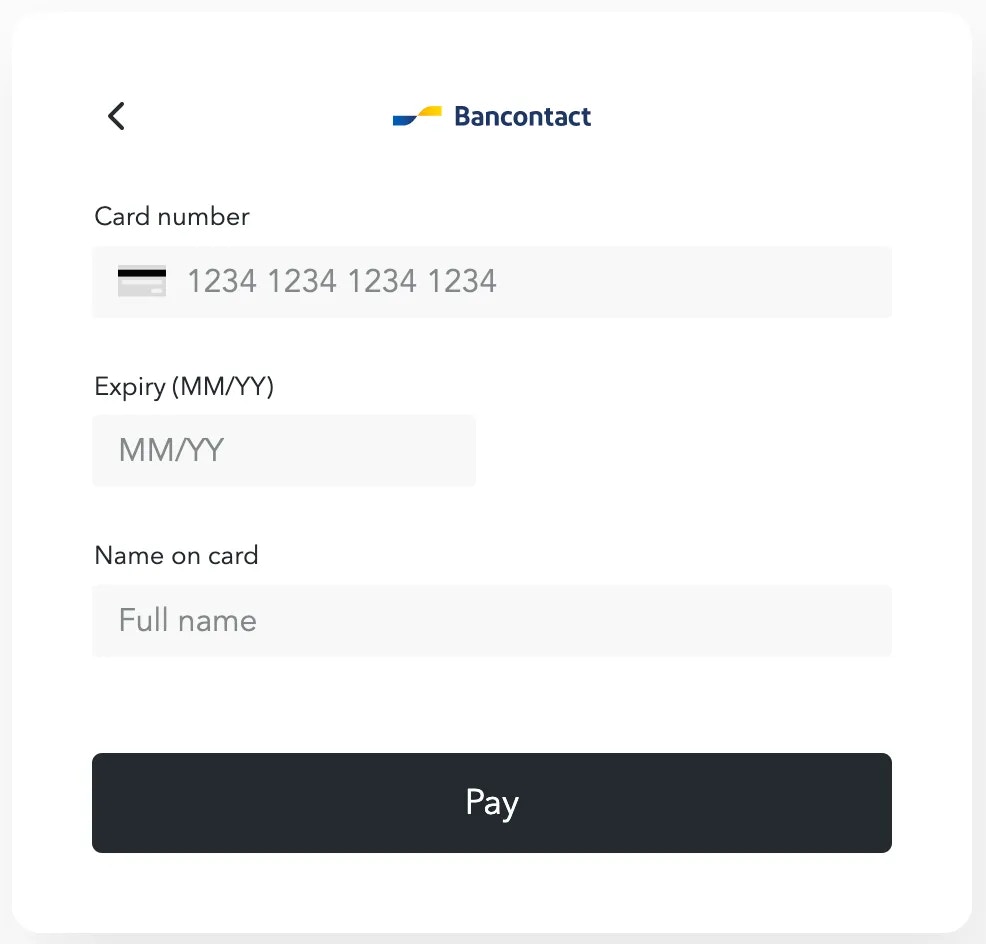
✨ ImprovementsBancontact Debit via Adyen 🏦Universal Checkout | Payment MethodsYour customers can now checkout with Bancontact Debit via Adyen using their bank card.
When your customer selects ‘Bancontact Pay with card’, they are then taken to a card form to enter their card details, where the CVV is not required.
✨ ImprovementsGift Card via PayNL KaartDirect! 🎁Universal Checkout | Payment MethodsYou will now be able to offer a tailored gift card payment method button to your customers via PayNL KaartDirect.
✨ ImprovementsDisable checkout autofocus! 👀Universal Checkout | CustomizationWhen initializing the checkout, you can now pass an additional setting within the style object which disables the checkout from autofocusing the first available payment method or card input field.EPS via Adyen 🏦Universal Checkout | Payment MethodsYour customers can now checkout with EPS via Adyen. This payment method exposes a list of banks which your customer can select to complete a payment with.
🔨 FixedAdd back support for onErrorMessageShow and onErrorMessageHide callbacks which notifies you of when to display your custom error message when using the manual payment flow.
Take a look at our checkout customization guide for more information on these callbacks.
The start of Server Driven Payment Methods! 👏To speed up the implementation of payment methods, we have begun building out a frontend framework so we don’t need to build the frontend of every new payment method we integrate with! Instead, we can leverage the framework and render the frontend using a preset configuration. This also means that merchants will no longer need to keep upgrading SDK versions to get access to new APMs.We have started this big project by rolling out this framework for Redirect APMs. So, going forward from this version onwards, all Redirect APMs will be server-driven and don’t require an SDK upgrade to get access to any new ones we integrate with! 🥳🔧 Fixes
Update Clearpay naming to be Afterpay in the overlay dialog and loading page
Enable our instance of PayPal to work if another instance of PayPal is running within the same window. The PayPal button now renders even if the merchant application is running a separate instance.
✨ ImprovementsApple Pay now capture billing address information! 🥳Universal Checkout | Payment MethodsWhen initializing the checkout, you can now pass an additional setting to enforce billing address capture when your customers checkout with Apple Pay.
TypeScript
Primer.showUniversalCheckout(clientToken, {applePay: {captureBillingAddress?: true // defaults to false - not required}})
We recommend capturing the billing address via ApplePay if you’re processing Apple Pay payment via Adyen. Alternatively, you can pass the billing address in the client session if you already posses it. Read more about Apple Pay in our documentation.
setClientToken → refreshClientToken 😎We’ve improved the experience when patching a client sessionWhen you patch a client session by calling the PATCH /client session endpoint, you now no longer have to notify the checkout by calling setClientoken(clientToken) , there’s now a simpler alternative:
TypeScript
const checkout = await Primer.showUniversalCheckout(clientToken, {// provide your settings})// This will result in the checkout// being updated after patching a client sessioncheckout.refreshClientToken();
🔨 Fixed
The checkout now no longer fails to apply surcharging to American Express cards
🚨Recommend update! This release addresses a bug which causes the SDK to crash in Safari. If you are using the SDK version 2.5.0 or up - we highly recommend you update your integration to this version or higher.
Better Klarna support! 🤯Universal Checkout | Payment MethodsWe’ve introduced a bunch of changes to ensure that Klarna is now much more stable across many more scenarios:
We’ve expanded the locale, country code and currency support for Klarna. You’ll now be able to serve your customers better with Klarna across multiple territories.
Klarna now works when passing tax in the client session. Feel free to add your tax amounts to each line items and Klarna will be able to interpret it as such.
Klarna now also supports passing a discount amount. Passing a discount amount in the client session will be interpreted correctly by Klarna.
We recommend updating your SDK version to 2.10.1 if you’re availing Primer to your customers.
🔨 Fixed
Fixed bug which caused SDK to crash in Safari browsers. This bug has been persisting since v2.5.0 of the Web SDK
✨ ImprovementsKlarna now accepts the state property passed in the customer.billingAddress and customer.shippingAddress fields.
We recommend updating your SDK version to 2.9.0 if you’re servicing customers with Klarna in the United States, Australia or Canada to avoid any validation errors from Klarna
✨ ImprovementsMore payment methods incoming!Bancontact - Payconiq via Adyen! 🤯Universal Checkout | Payment MethodsWhen checkout out using Bancontact - Payconiq your customer is redirected to the app either directly on their mobile device, or by scanning a QR code on Desktop.
Take a look at our Adyen Connection and the payment methods it supports on the Dashboard.
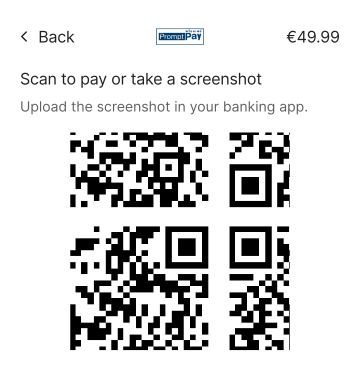
Omise from the far east 🌅Universal Checkout | Payment MethodsWe’ve added support for PromptPay and TrueMoney via Omise. These payment methods can be used to serve your customers in Thailand.
PromptPayYour customers will be able to pay using PromptPay by following a redirect after scanning the provided QR code using their mobile phones.
TrueMoneyA popular e-wallet in Thailand, your customers can now select it as an option in the checkout and be redirected to complete their payment.
Take a look at our Omise Connection and the payment methods it supports on the Dashboard.
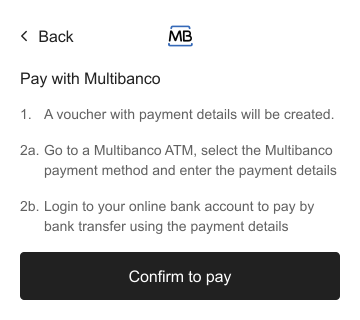
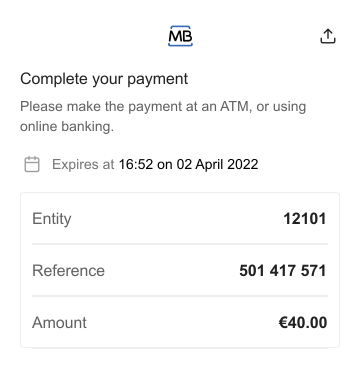
✨ ImprovementsThe release train has arrived! 🚂Multibanco via Adyen has arrived! 🎉Universal Checkout | Payment MethodsYou can avail Multibanco via Adyen to your customers! Multibanco is a Portuguese Payment Method which allows customers to complete payments outside of the checkout’s context.
Take a look at our PacyPay Connection and the payment methods it supports on the Dashboard.
PacyPay payment methods incoming! 🎉Universal Checkout | Payment MethodsWe’ve added support for both Alipay+ and WeChat pay via Onerway
AliPay+ & WeChat Pay
Take a look at our PacyPay Connection and the payment methods it supports on the Dashboard.
We’ve added support for Afterpay! 🎉Universal Checkout | Payment MethodsAfterpay (Clearpay) is a Buy Now Pay Later payment method in the UK, France, Spain and Italy which offers customers the option to pay in 4 interest free instalments! 😎
Take a look at our Afterpay Connection and the payment methods it supports on the Dashboard.
Increased control over payment method actions 🔍Universal Checkout | Payment Method CallbackThere are times when you would want to know (in real time), which payment method was selected by the customer. This added transparency allows you to perform actions, like updating your UI when a payment method is selected/unselected.To receive updates on which payment method was selected by a customer, you can now make use of the onPaymentMethodAction callback.
JavaScript
const options = {/\* Other checkout options ... \*/onPaymentMethodAction(action, { paymentMethodType }) {// Notifies you when a specific payment method has been selected or unselected// action will either be 'PAYMENT\_METHOD\_SELECTED' or 'PAYMENT\_METHOD\_UNSELECTED'},};
As an example, selecting a payment method could result in displaying product recommendations that are commonly associated with customers who use that payment method. Additional context on when a customer unselects a payment method is also provided, which again gives you an opportunity to customize the customer experience.More visibility. More control. More happy customers.
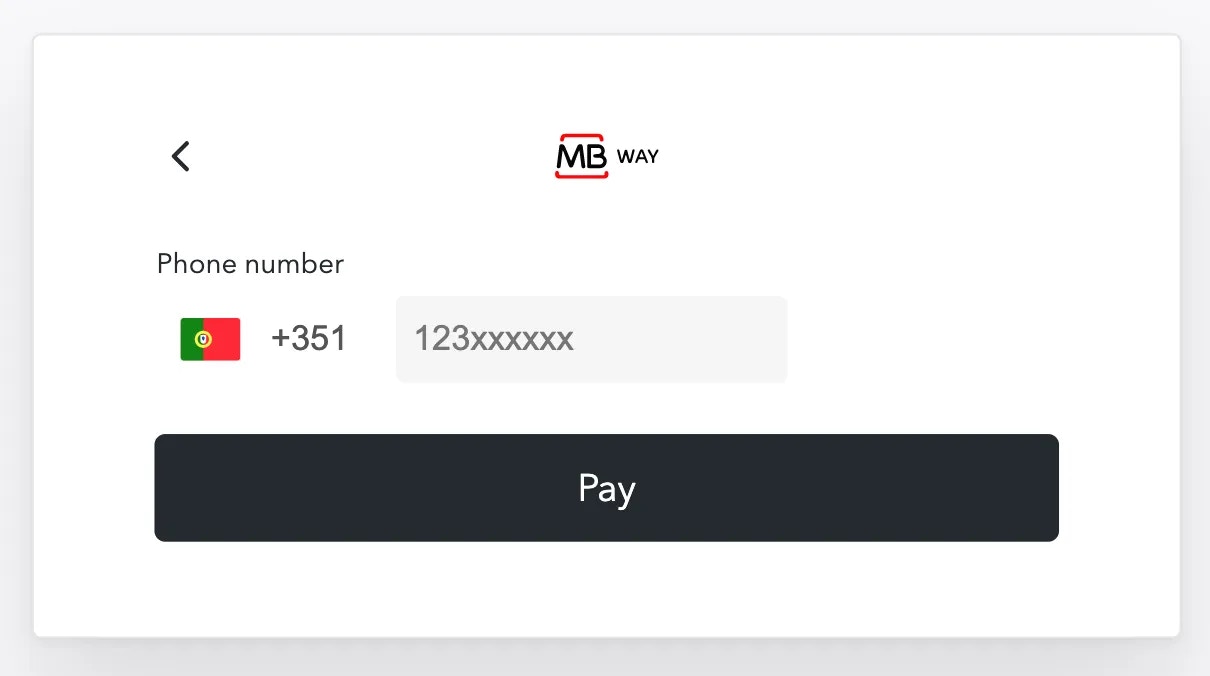
✨ ImprovementsA small release, but we all know about dynamite and small packagesMB all the WAY 💸Universal Checkout | Payment MethodsWe’ve added support for MBWAY via Adyen 🎉
MBWAY is a leading payments app in Portugal. Our integration will allow your customers to pay using their phone numbers and complete their payments from their MBWAY apps.
MBWAY via Adyen is only available in Portugal. Take a look at our Adyen Connection and the payment methods it supports on the Dashboard.
✨ ImprovementsNew payment methods and a couple of UI improvements!Paytrail and Payshop via Adyen is now supported 💰You can now use Paytrail and Payshop via Adyen.
Paytrail & Payshop
Take a look at our Adyen Connection and the payment methods it supports on the Dashboard
Improved error handling 🔴Universal Checkout | Payment MethodsIf no payment methods are returned, you will now be notified in onCheckoutFailBefore, an error would be logged in the console if no payment methods were loaded, but now you can adapt your UI in the case that no payment methods could be retrieved for the given checkout session.
Take a look at the onCheckoutFail callback in the web SDKs readme for more information on how you can best handle checkout failure.
Bug fixes 🐛
Autofocus will now be applied to the first field in the card form and won’t automatically jump to the cardholder name input.
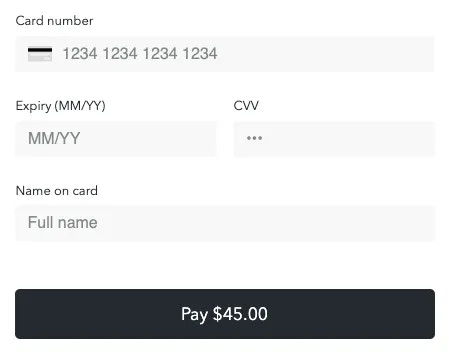
✨ ImprovementsThis release contains a host of exciting new features!Amount on submit button 💰You can now display the amount charged to the customer on the submit button 😎
Submit Button
To avail the amount on the submit button, you can pass submitButton.amountVisible: true as a checkout option:
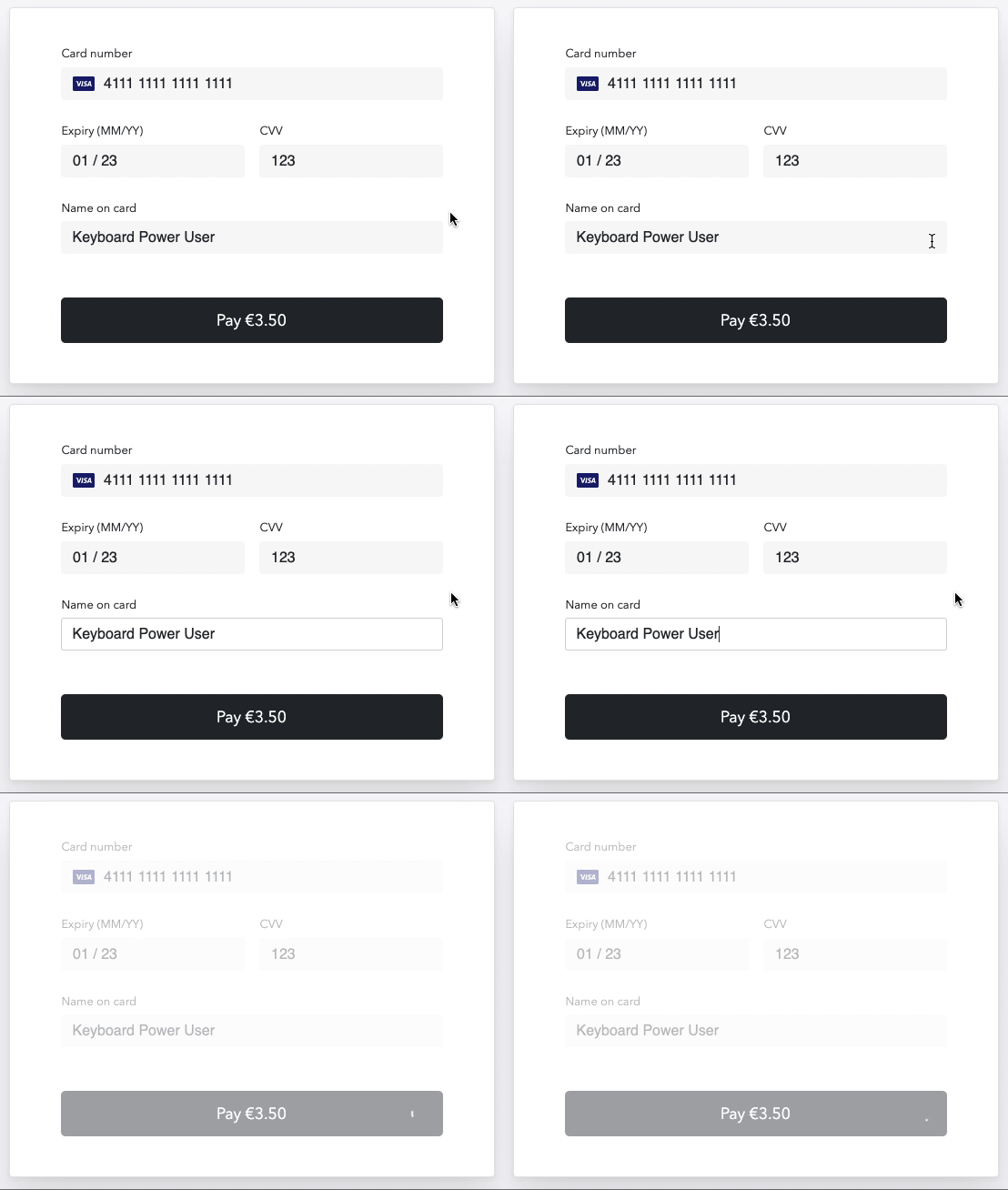
Trigger card form submission on enter press ↩️Universal CheckoutYou no longer need a mouse to make card payments 🙃
Submit on Enter
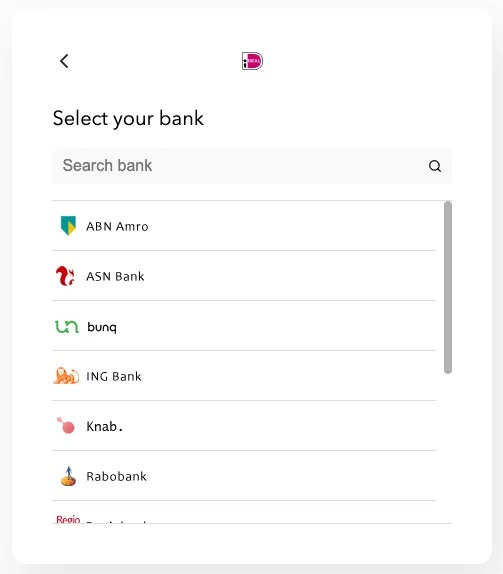
iDEAL via PayNL now uses a dedicated bank list 🏦Universal Checkout | Payment Methods
Select a bank
In order to create a more native experience when using iDEAL via PayNL - customers are now able to select the bank of their choosing via the checkout’s UI.Before, iDEAL via PayNL would redirect customers away to a page where they could select a bank of their choosing.In the future, we will be able to support this feature for all processors supporting iDEAL which returns a bank list.Klarna now supports passing a product type 🤝Universal Checkout | Payment MethodsKlarna is now able to receive information regarding the product type of a specific line item.When creating a client session, a productType can now be specified for each lineItem:
✨ ImprovementsThis release adds support for several new payment methods and languages, meaning your checkout is accessible to even more people around the world 🌍Added support for four new payment methods 🎉Universal Checkout | Payment MethodsThanks to our work with Rapyd, your checkout can now support the following payment methods:
GrabPay
Poli
Gcash
PromptPay
Fast
New locales 💬Universal Checkout | LocalesYour checkout can now display in any of the following new languages:
Czech cs
Estonian et
Croatian hr
Japanese ja
Lithuanian lt
Portuguese - Brazil pt-BR
Vietnamese vi
You can choose the locale for your checkout experience by passing the locale option during initialization. Take a look at the web SDKs README for more details.
🔨 Fixed
Fix position of saved payment method dropdown on mobile
Klarna now allows updating the amount while the SDK is rendered
✨ ImprovementsThis release is all about better localization 🗣️ageRight to left language support ↪️ ↩️Right to left languages will now read the way they should 😎
Submit
Arabic reading right-to-leftALTNo additional setup is required to enable right-to-left ✨New locales 💬Universal Checkout | LocalesThe SDK now supports an additional Spanish dialect - Argentinian:Argentinian Spanish es-AR
The locale can easily be set by passing the locale checkout option when initialising the checkout. Take a look at the web SDKs README for more details.
🔨 Fixed
Fixed a TypeScript bug that cause showUniversalCheckout to return an instance of VaultManager. showUniversalCheckout now returns type UniversalCheckout.
✨ ImprovementsAdded support for processing payments using processor’s 3DS flow for Stripe and Rapyd.[BETA] Pay in installments with 2c2p ! 🎉Universal Checkout | Payment MethodsUniversal Checkout now enables customers to pay in installments with their cards or bank accounts using 2c2p! This processor will display a “Pay in installments” button that redirects the user to 2c2p’s hosted payment page.This processor is currently in beta while we finalise the implementation of additional actions
👉
Take a look at our 2C2P connection in your dashboard
Updated buttons for Coinbase and OpenNode! 💅Universal Checkout | Payment MethodsWe’ve applied a few tweaks to the buttons of the payment methods Coinbase and OpenNode!CoinbaseThis button now features a nice wallet icon!
Improved support for PayPal! 🎉Universal Checkout | Payment MethodsUniversal Checkout now sends additional information to PayPal:
If lineItems is provided in the client session, the item breakdown will be passed to the PayPal
If orderId is provided in the client session, PayPal’s custom\_id will be passed to PayPal
🔨 Fixed
Fixed a bug that prevented formSpacings from being applied to the friendly card name
Fixed an error raised in the console in the Vault Manager when the user clicks on a saved payment method
✨ ImprovementsThe version 2 of the SDK is out!
This includes a simplified way to integrate Primer
📚Take a look at the migration guide for updating your integration to version 2.
🚀 Get started in one line of code!Universal Checkout | SDKNow you can harness the power of Primer even faster! We’ve followed our mantra of; “The best DX is no DX”, and slimmed down the Web SDK integration to just a single line of code 🤯Before 🥱
TypeScript
const Primer = await loadPrimer(); // If the package is loaded from npmconst primer = new Primer({ credentials: { clientToken }});const checkout = await primer.checkout(options);
Now 🚀
TypeScript
// To initialize Universal Checkoutconst universalCheckout = await Primer.showUniversalCheckout(clientToken, options);// To initialize Vault Managerconst vaultManager = await Primer.showVaultManager(clientToken, options);
By calling Primer.showUniversalCheckout , you’re configuring, initializing and availing the checkout to your customers in just one step.The boilerplate might have been reduced, but all the great functionality of the checkout has been maintained 💪
Take a look at our new quick start guide for web to see just how easy it is to have a full implementation of Universal Checkout up and running in no time
✨ Payments created automaticallyUniversal Checkout | SDKCreating payments with Universal Checkout is now seamless. There’s no more need for callbacks, API calls and headaches to create a payment. It’s all done under the hood 🧙In the past, creating payments involved manual payment handling:
On the client side, you would have had to implement the dreaded onTokenizeSuccess and onResumeSuccess callbacks:
TypeScript
primer.checkout({onTokenizeSuccess(paymentMethodTokenData) {// Implement some verbose logic 🤢},onResumeSuccess(resumeTokenData) {// Do it all again 😵}})
On the server side, you had to manually call our Payments API in order to create a payment 🤷Rejoice! As from version 2.0.0 no manual payment handling is required! Payment creation is now, as mentioned above, :chef-kiss: - seamless.Feel free to rip out the above mentioned callbacks when migrating to version 2.0.0 and enjoy the feeling of utter relaxation as all your payment handling is now done by Universal Checkout 💆
For the nerds ❤️
Payment lifecycle callbacksIf you would still like to have some insights into how Universal Checkout is handling payment creation, we’ve introduced some new optional callbacks which will notify you during certain events in the payment lifecycle.
For more information on these callbacks, take a look at the Payment Lifecycle Callbacks section in our new and improved README
Manual payment handlingFor the brave and bold among us who would still like to manually handle payments in the checkout and perform the necessary API calls for payment creation - take a look at our manual payment creation guide 📚
💳 Dummy Payment MethodsUniversal Checkout | Payment MethodsWe want you to start creating payments with Universal Checkout as quickly as possible, so we’ve added some dummy payment methods - no credentials required 😎The following payment methods have been added:
PayPal via Primer
iDeal via Primer
Klarna via Primer
Cards via Primer
These payment methods are purely for demonstrative purposes and aren’t tied to any payment method specific environment.You can now create payments in different states (authorized, declined, failed) and see them in the dashboard’s Payments page.No need to create sandbox accounts with different processors/payment methods, the dashboard and all its great features can now be used without any setup.
Primer’s Dummy Payment Methods will come preconfigured with all new sandbox accounts.
🔨 DeprecationThe Web SDK’s move to version 2 has brought a lot of exciting changes and along with these changes, some deprecations.
📚
Please take a look at our Web SDK version 2 migration guide for a full list of the deprecations made.
Assistant
Responses are generated using AI and may contain mistakes.