
What does this Action do?
The “Cancel payment” Action is responsible for sending the cancel request. It enables you to define rules where you wish to automatically cancel a payment after its authorization. Learn more about canceling payments here.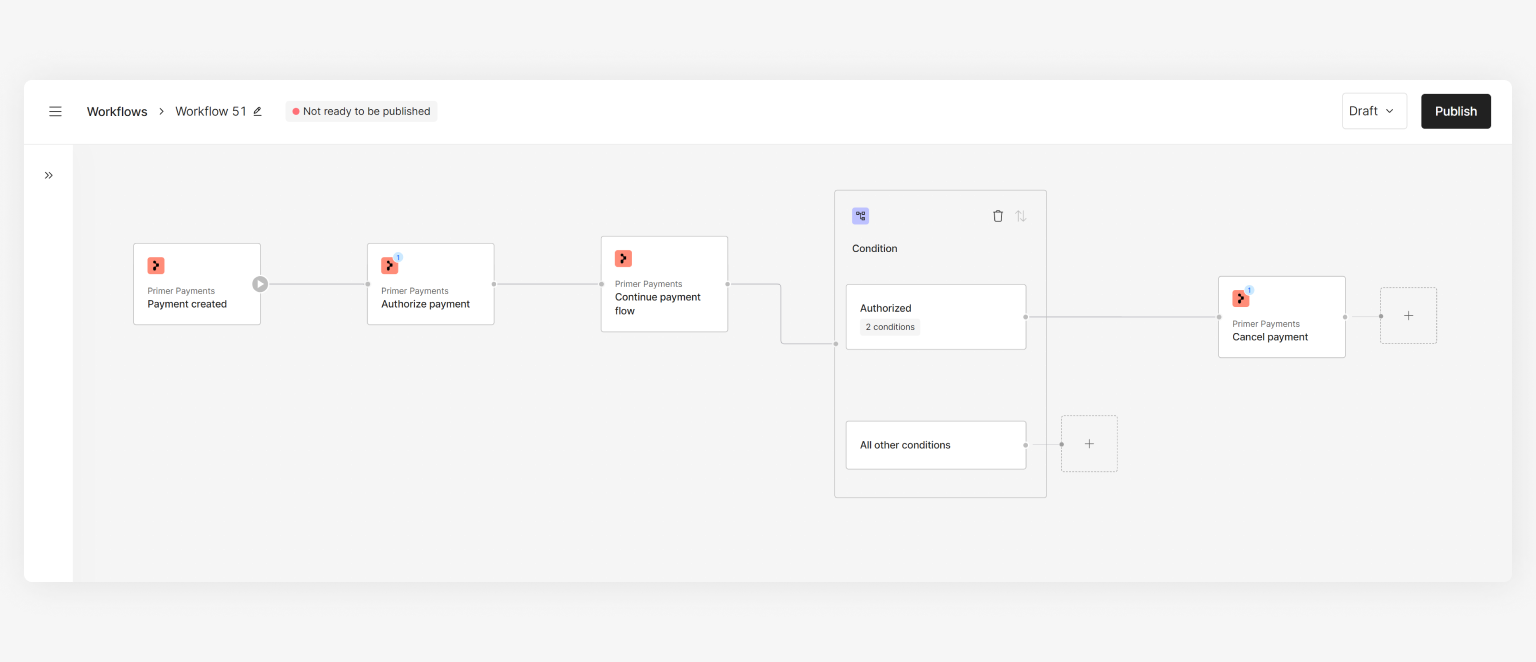
Workflow example
How to use the Action
- Assign a
payment ID- this will usually be the “Payment ID” from the “Payment created” Trigger output or “Payment status updated” Trigger output - [Optional] Set
reason, which can be used for your own records
Use cases
Based on your needs, you can utilize this Action in a few ways. Below is an example for inspiration: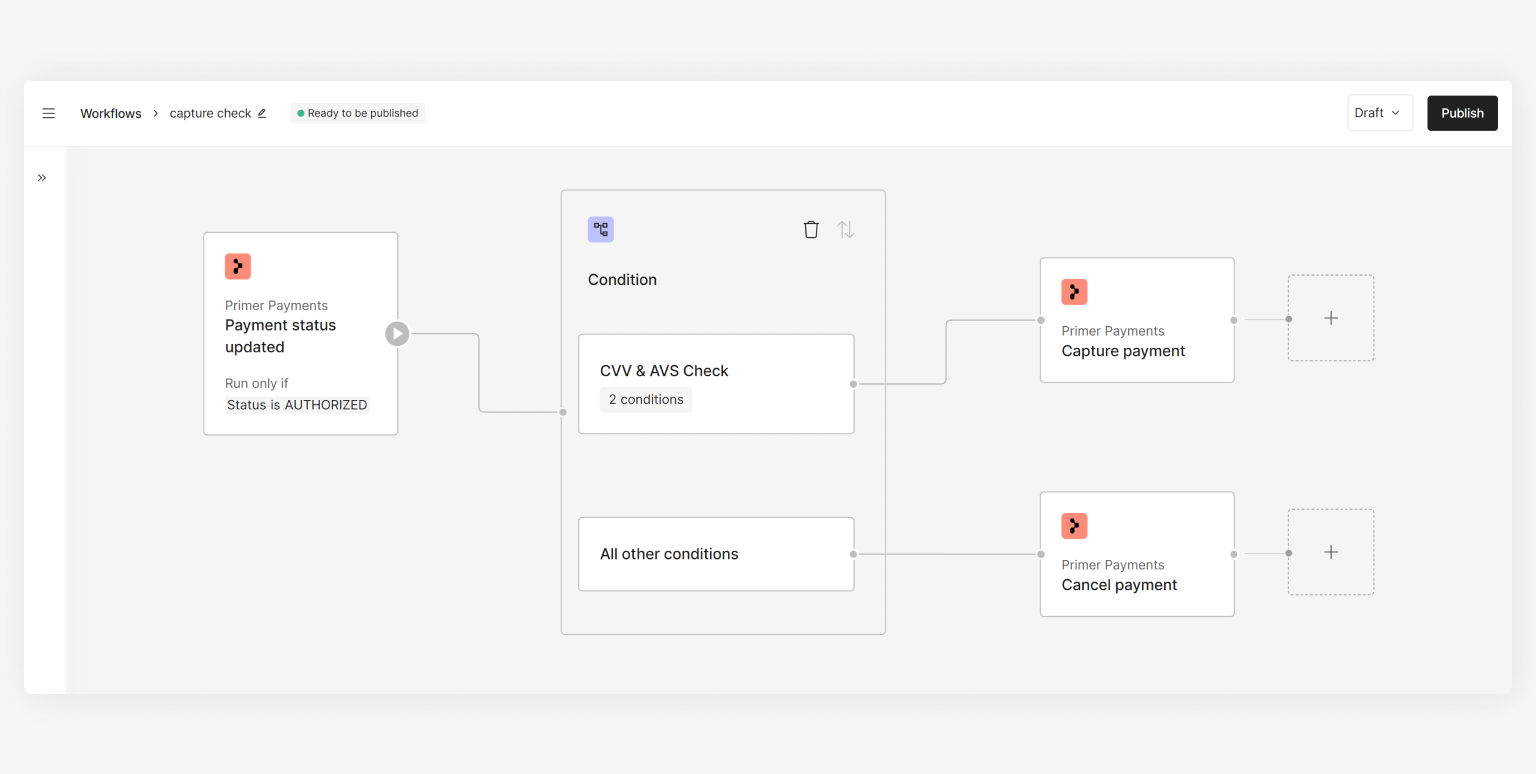
Use Case 1