Payment gateways have powered online payments for decades, connecting merchants to processors and keeping transactions running smoothly. As merchants scale, though, many find they need more flexibility, deeper data, and greater control than a traditional gateway can offer.
Expanding into a new region with local payment methods? Not possible if your gateway didn’t support them.
Optimizing routing or setting up fallbacks? You were stuck with whatever rules the provider allowed.
Trying to decouple from bundled fraud tools or switch providers? Slow, expensive, and often not worth the hassle.
Some merchants tried to get around these limits by integrating directly with multiple gateways. But that only created new problems: endless engineering tickets, downtime every time something needed to change, and a payment stack that became more fragile with each new connection.
Payments became a blocker instead of a driver of growth.
In this article, we’ll break down why there’s no such thing as a “best” single payment gateway, and why the smarter move is to orchestrate across many.
You’ll learn about a solution that makes it simple to combine multiple processors, payment methods, and services into one unified platform.
Ready to take control of your payments stack, instead of being controlled by it? Book a call with the Primer team.
What is a payment gateway?
A payment gateway is the technology that allows merchants to accept payments online. It securely captures a customer’s payment details at checkout, encrypts them, and sends the information to a payment processor or acquiring bank for authorization.
In simple terms, the gateway acts as a bridge between the merchant, the customer, and the financial institutions involved in a transaction. It ensures payment data is transmitted securely and lets both the merchant and the customer know whether a transaction has been approved or declined.
Many payment service providers (PSPs) include a gateway component as part of their wider offering, so merchants can handle both data transmission and payment processing through a single provider.
Read more: What is a payment gateway, and how does it work?
Six popular payment gateways
There’s no single “best” payment gateway. Every provider has strengths and limitations, and the smartest approach is to combine several to form a multi-gateway strategy.
The examples below are global PSPs that include a gateway component as part of their wider offering. Each one is well known for its global reach, reliability, and developer support:
1. PayPal
With its simple setup, customers know and trust the PayPal brand, which the company says can lead to higher conversions.¹ The gateway accepts all major credit and debit cards, as well as Venmo and crypto, and allows payments in 25 currencies from 200+ countries.¹
- Payment processing fees: From 2.99% + a fixed fee.¹
- Subscription fee: No monthly subscription fees.¹
- Accepted payment methods: All major credit cards, Buy Now, Pay Later (BNPL) options, Venmo, and cryptocurrencies.¹
2. Stripe
Stripe enables quick integration with various payment methods, including A2A payments, ACH, and BNPL, among others.²
Stripe is a developer-friendly solution with an extensive doc library and enables simple payment routing and a variety of other services, including subscriptions, invoicing, and built-in dispute and chargeback tools.²
- Payment processing fees: From 2.9% + 30¢, plus fees for additional services.²
- Subscription fee: No monthly subscription fees.²
- Accepted payment methods: Payments in 135+ currencies with all major credit cards, all major BNPL options, account-to-account (A2A) options, cryptocurrencies, digital wallets, and local payment methods.²
3. Adyen
Adyen is popular with large businesses that need enterprise-grade capabilities and have the developer resources to set up and maintain a complex payment stack.³ The gateway enables merchants to accept 250+ global payment methods.³
- Payment processing fees: Fixed processing fee of 0.13¢, plus a percentage-based fee depending on the payment method.³
- Subscription fee: No monthly subscription fees.³
- Accepted payment methods: All major credit and debit cards, major BNPL providers, a range of A2A payment methods, digital wallets, and local payment methods.³
4. Braintree
Braintree requires relatively little developer involvement to set up and maintain, compared to similar solutions, and has strong support for subscription payments.⁴ It also has some basic payment orchestration features, like automated retries and adaptive fraud tools, and its charges and offerings (including Venmo) are largely targeted toward a U.S audience.⁴
- Payment processing fees: 2.89% + 0.29 USD for standard card and digital wallet transactions, plus additional fees, including a 1% fee for any non-USD currency, and another 1% fee for any card issued outside of the United States.⁴
- Subscription fee: No monthly subscription fees.⁴
- Accepted payment methods: PayPal, Venmo, Apple Pay, Google Pay, credit/debit cards, ACH, and local methods in select regions.⁴
5. Checkout.com
Checkout.com is a modular solution with a range of payments products, including hosted payments pages, fraud detection, and AI-powered payment optimization.⁵ Different APIs and SDKs allow for granular control, but require significant developer involvement.⁵ Checkout.com supports local payment methods in many markets, but lacks flexibility around payment routing and retries.⁵
- Payment processing fees: Pricing is based on business profile and risk category, including free payment processing for registered charities in certain countries; transaction fees are calculated on an interchange++ model.⁵
- Subscription fee: No monthly subscription fees.⁵
- Accepted payment methods: Major credit and debit cards, digital wallets (Apple Pay, Google Pay), ACH, SEPA, and a variety of local/regional payment methods.⁵
6. Worldpay
Worldpay serves large-scale businesses in retail, travel, and financial services, and is known for its global reach, reliable acquiring capabilities, and risk tools.⁶ While robust, Worldpay’s platform can be more rigid compared to newer, API-first providers and may require dedicated account management and longer implementation cycles.⁶
- Payment processing fees: Varies by region and volume; often includes both fixed and variable components.⁶
- Subscription fee: May include a monthly account fee (starting at £15) depending on the contract.⁶
- Accepted payment methods: Major cards, digital wallets, A2A payments, and localized methods across EMEA, APAC, and the Americas.⁶
*All payment provider information was up to date as of 05/12/26 and is based on details published by the respective payment providers on their websites; it is subject to change, and merchants should always confirm the latest pricing and coverage directly with each provider.¹²³⁴⁵⁶
The challenges of integrating with multiple payment gateways in-house
For global merchants, one gateway is rarely enough. Performance varies by region, certain providers offer better rates for specific card schemes, and no single gateway covers every local payment method. To stay competitive, most merchants need a multi-gateway strategy that combines global reach, redundancy, and the ability to route transactions where they’re most likely to succeed.
The problem comes when you try to manage all of this in-house. Each gateway has its own API, data structures, and operational rules. Engineering teams spend weeks building and testing connections, then weeks more keeping them updated as providers evolve their systems.
Over time, the complexity compounds. Routing logic has to be built and maintained manually. Reporting is fragmented across dashboards, with no single source of truth for performance. Even small adjustments, such as reordering payment methods or adding a fallback flow, demand development resources and create delays.
Instead of delivering flexibility, in-house multi-gateway setups often add fragility and slow merchants down.
How to easily integrate with multiple payment gateways with Primer
For years, merchants were limited by the capabilities of a single gateway. Expanding into new markets meant long integrations, duplicated effort, and an ever-growing burden on engineering teams. Even when multiple gateways were in play, they were stitched together manually — fragile connections that slowed down growth instead of accelerating it.
Primer changes that. We don’t process payments ourselves. Instead, we unify your entire payment stack so you can plug in, configure, and optimize multiple gateways in one place. Adding redundancy, experimenting with routing, or expanding globally no longer requires heavy development work.
With Primer, connecting new gateways is simple:
- Navigate to Integrations in your dashboard.
- Select the gateways you want to add.
- Follow the activation steps for each provider.
From there, you can route transactions intelligently, build fallbacks, and manage every gateway through a single interface: giving your team full ownership over strategy and scale.
Hyper-personalize each and every customer’s checkout experience
Gateways usually lock you into preset checkout forms and rigid customer flows. That leaves little room to adapt the experience to your brand or your markets. Primer Checkout is different. It gives you full control over how checkout looks and behaves without writing code.
With Primer, you can personalize checkout based on region, device, or order value. Prioritize PayNow in Singapore, surface Apple Pay to iPhone users, or highlight Klarna and Afterpay for larger baskets. You can enable, disable, or reorder payment methods instantly, then A/B test variations to see which drives the highest conversion.
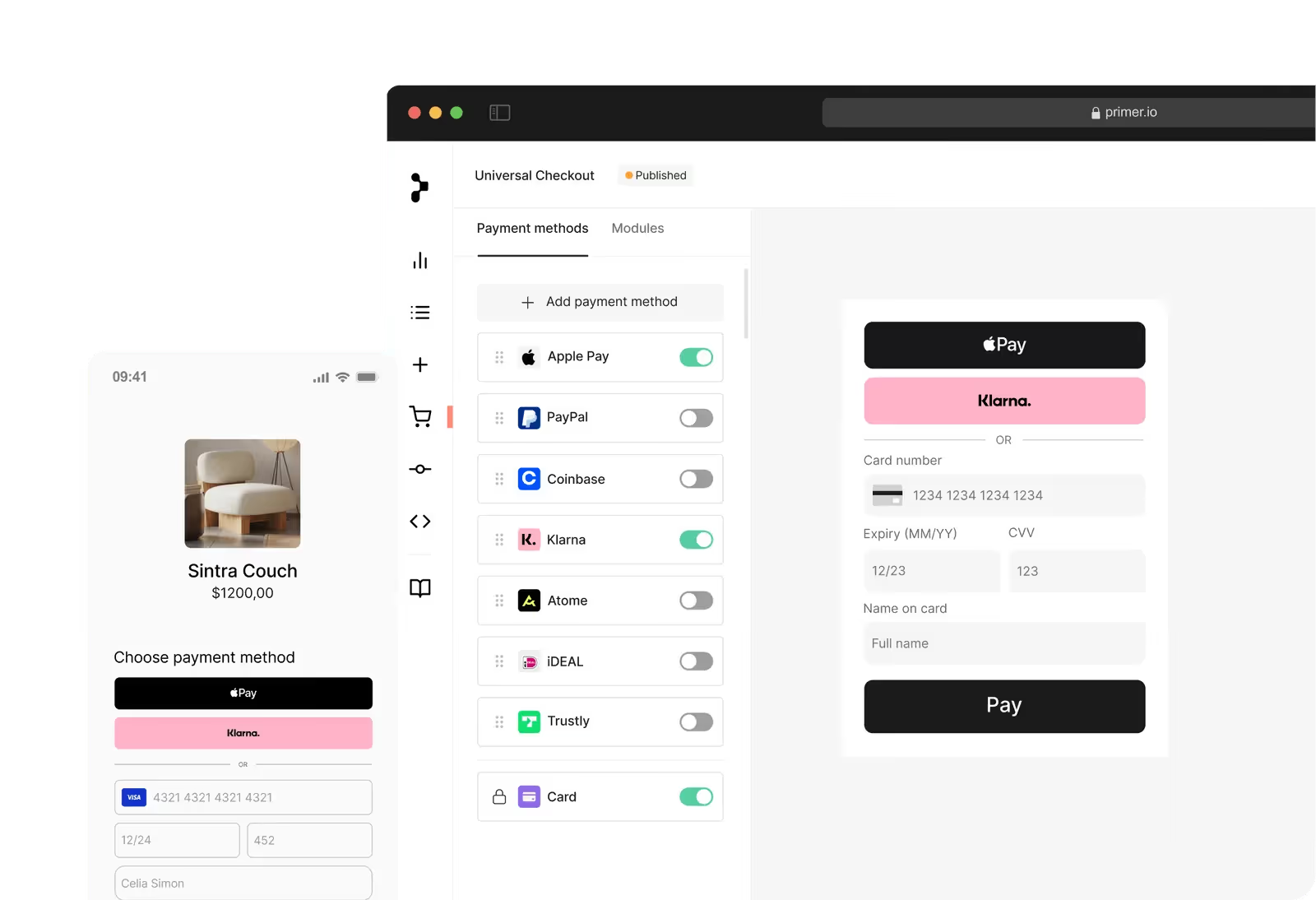
Style and branding are just as flexible. Primer Checkout lets you tailor fonts, colors, layouts, and copy so the entire flow feels fully native to your brand. You can also adapt messaging to meet regional compliance requirements or boost trust in specific markets.
Without engineering bottlenecks, your team can experiment freely, respond to customer behavior, and continuously optimize checkout performance.
Recover more revenue with Fallbacks
Every failed payment represents lost revenue. But not all declines are final. Most are soft declines that can succeed if retried. That’s where a fallback comes in.
A fallback, or cascading payment, is when a failed transaction is immediately retried through the same or an alternative processor to secure a successful authorization. With the right setup, this can recover a significant share of failed payments without any manual work.
Primer’s Fallbacks take this further. Because Primer unifies your entire payment stack, retries can route across all your connected gateways and processors. You can set logic based on region, device type, BIN, or card scheme. And since Primer 3DS is agnostic, authentication results carry over seamlessly so customers never see a duplicate challenge.
Many merchants see strong results with this approach, with some recovering around 20% of failed transactions.
Take Banxa, for example. In the first six months of 2024, it recovered more than US$7 million in revenue using Fallbacks by routing failed payments to the processor most likely to succeed and turning declines into conversions.
View, analyze, and A/B test your data
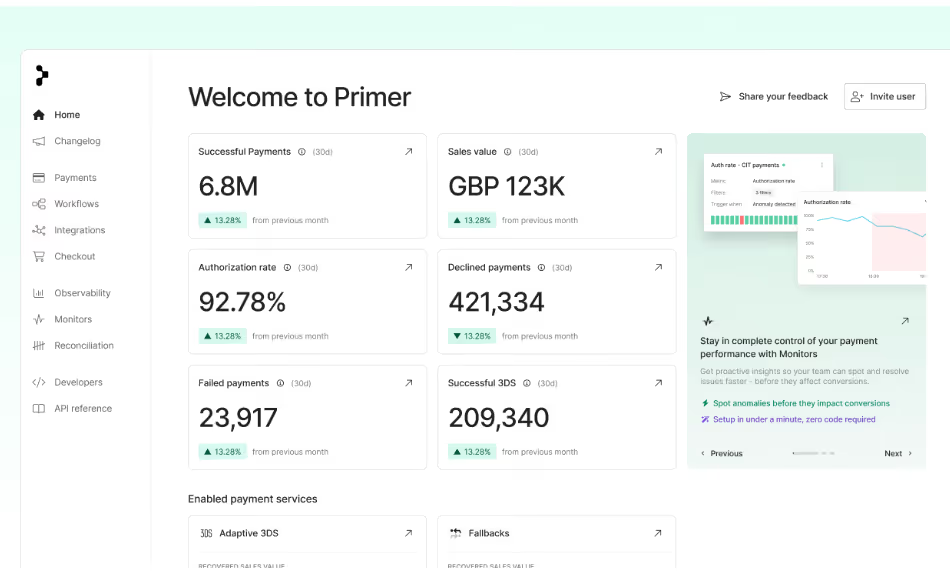
Managing payments across multiple gateways usually means juggling siloed dashboards, inconsistent reporting, and little clarity on what’s really driving performance. Primer Observability changes that by consolidating all your data into one place.
With 100+ visualizations and 30+ filters, you can analyze 3DS performance in detail and uncover where customers are dropping off. Track completion rates, authentication success, and frictionless flow adoption across regions or payment methods. With Primer, you get immediate insight into how 3DS impacts conversion and where to optimize.
And because Observability works hand in hand with Workflows, you can act on those insights in real time. Run A/B tests, optimize routing, and fine-tune your checkout experience, without code and without waiting on engineering.
That’s how merchants like Ferryhopper are using Observability to turn data into strategy, making payments a driver of performance rather than a black box.
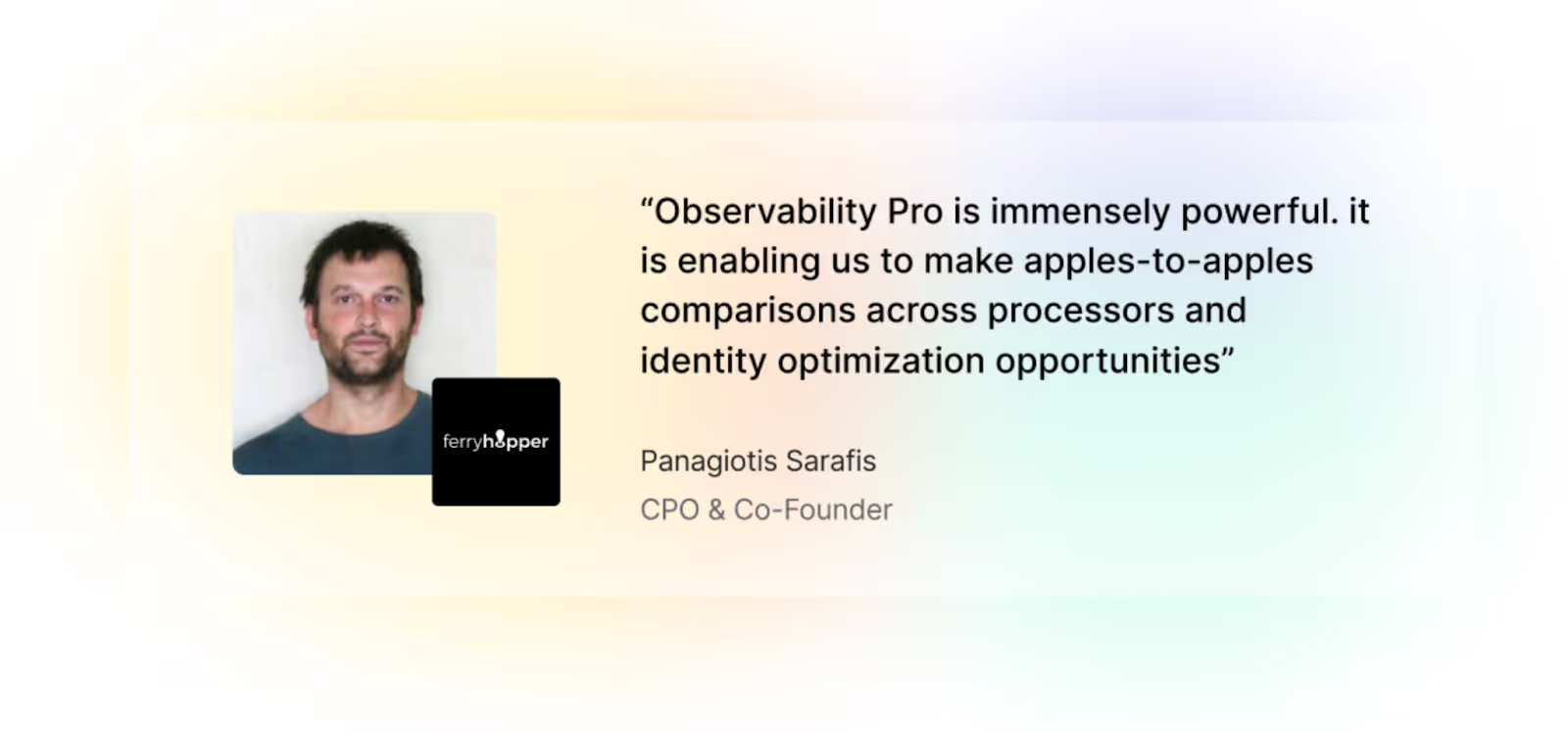
Read more: Charting a new course for payments at Ferryhopper
The future of payments isn’t picking the “best” gateway. It’s building a smarter strategy.
No single gateway can give you the flexibility, coverage, or control you need to grow. The smartest payment strategy lets you activate, test, and manage multiple gateways and services, all through a single platform.
With Primer’s unified payment infrastructure, you can add gateways, customize routing, launch new payment methods, and build a bespoke checkout experience in just a few clicks.
No lengthy integration processes. No rewriting code for every API update. Just faster expansion and better performance.
Book a demo to see it in action.
FAQs about the best payment gateways
1. What is the best payment gateway for small businesses?
There isn’t a single “best” option. For small businesses running online stores on platforms like Shopify or WooCommerce, providers such as Stripe, PayPal, and Braintree are popular because they offer low setup fees, transparent pricing, and a wide range of payment options. The right payment gateway depends on your business needs, sales volume, and where your customers are based.
2. How do payment gateway providers charge fees?
Most payment gateway providers use a mix of card processing fees (for example, 2.9% + 30¢ per transaction), possible monthly fees, and sometimes extra charges for international payments, currency conversion, or hidden fees like chargebacks. Reviewing the pricing structure carefully is important to avoid surprises as your sales grow.
3. Can I use multiple payment gateways at once?
Yes. In fact, many online businesses rely on more than one gateway to increase coverage, reduce failed transactions, and support multiple currencies. A multi-gateway setup creates redundancy, improves authorization rates, and ensures customers can pay with their preferred method. Platforms like Primer make it simple to connect and manage multiple gateways through one unified payment solution.
4. What’s the difference between a payment gateway and a payment processor?
A payment gateway is the software that captures customer payment information during checkout and securely transmits it. A payment processor is the service provider that communicates with banks and card networks (like Visa and Mastercard) to authorize and settle the transaction. Merchants typically need both as part of their payment systems.
5. How do I choose the right payment gateway for my ecommerce business?
Start with your business needs. Consider whether you sell in multiple currencies, the types of payment options your customers prefer (credit cards, bank transfers, digital wallets, BNPL), and the platforms you use (like Shopify or WooCommerce). Evaluate factors like customer support, PCI DSS compliance, and ease of integration with your ecommerce website. Many merchants find that using several gateways is the best way to future-proof their online payments strategy.
Sources:
¹ https://www.paypal.com/us/business/paypal-fees
² https://stripe.com/pricing
³ https://www.adyen.com/payment-methods
⁴ https://www.braintreepayments.com/braintree-pricing
⁵ https://www.checkout.com/pricing
⁶ https://www.worldpay.com